v0.2.0 open source · CC BY-NC 4.0 · Windows

Find what you can
safely delete.

A standalone cleaner that shows its work. Ten evidence-based scanners, every file to the Recycle Bin, registry backed up before it's touched — and a reason printed next to every single item.

Single 33 MB exe · no Python, Node, Java or browser needed · 76 self-tests

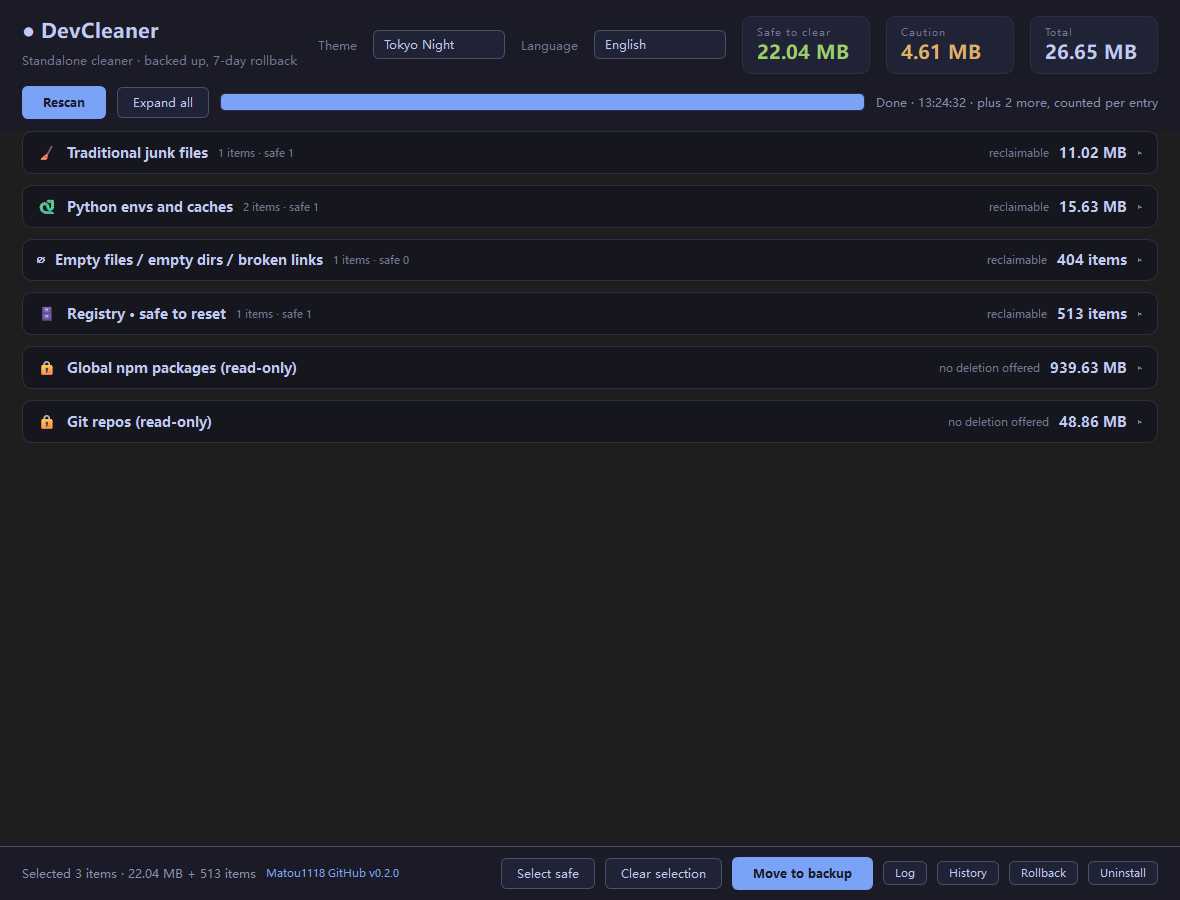
DevCleaner showing all ten categories in one screen, 2.02 GB reclaimable
Every category on one screen — nothing expanded, nothing hidden. Real run, real numbers.
—
reclaimable on a real machine
9
evidence-based scanners
6
colour themes, live switch
76
self-tests, CI on 3.10–3.13
Why it's different

Most cleaners guess.
This one shows the evidence.

Every item carries the signal that flagged it — the running process, the uninstall entry, the remote URL. If it can't prove a file is dead, it leaves it alone.

🔍

Triangulated, not guessed

An installer is only offered when the product name resolves and a matching process, install directory, or uninstall registry entry says it's already installed. One loose signal isn't enough.

↺️

Deleted, but reversible

Files move to a local backup directory you can roll back in one click for 7 days; expired backups are purged at startup. Nothing is hard-deleted.

🛡️

Registry backed up first

Registry keys are exported to a .reg file before deletion. If the export fails, the deletion is refused — never a silent edit.

🗑️

Uninstall, then sweep

Reads the installed-software list, runs the vendor's own uninstaller, then auto-scans for leftovers (registry keys, install directory, AppData, shortcuts) to clear in one click.

🔒

Your repos are untouchable

A Git clone with a remote never enters the deletable list. Only local clones with no remote are ever considered.

⏱️

Age and locks respected

Stale temp files need a minimum age. Anything held open by a running process is skipped and reported, not forced.

🌐

Bilingual & themed

Chinese and English, switchable in the top-right. Six colour themes, WCAG AA contrast checked. Fully offline — no network calls, ever.
Ten scanners

What it actually looks for

Counted per entry where bytes are meaningless — the registry and empty-file scanners show item counts, not fake gigabytes.

Safety

What it refuses to do

A cleaner is only useful if you trust it on a machine you care about.

  • ✓
    Registry is never edited blind Exported to .reg first; if the export fails the delete is refused. Restore with reg import.
  • ✓
    Files stay restorable Backed up all the way — nothing is hard-deleted behind your back, and it rolls back for 7 days.
  • ✓
    Locked files are skipped Anything a running process holds open is reported instead of forced.
  • ✕
    No system directories Never scans C:\Windows, Program Files or system temp roots.
  • ✕
    No repo with a remote Clones that push anywhere are excluded from deletion entirely.
  • ✕
    No network, no telemetry Runs fully offline. Nothing about your machine leaves it.
# what deleting a registry entry actually does def apply_registry_item(item): if not not backup(item): # export first return False, "backup failed" # refuse return True, "已删除 · 备份 " + "\\\\DevCleaner\\backups\\" # and files never get hard-deleted def to_recycle_bin(path): return SHFileOperationW(path, FOF_ALLOWUNDO)
Look

Six themes, zero rebuilds

Switch in the top-right; the choice is written straight back to settings.yaml and survives a restart.

Tokyo Nightdefault
Rosé Pinesoft contrast
Inknear-black
Paperlight
Studio Lightwarm
Studio Darkneutral

Try it on a machine you care about

One exe, no install, no dependencies. Read the reasons it gives, then decide.

Licence: CC BY-NC 4.0 — free to modify and remix, attribution to Matou1118 required, non-commercial only. Full terms